All your search metrics.
One dashboard.
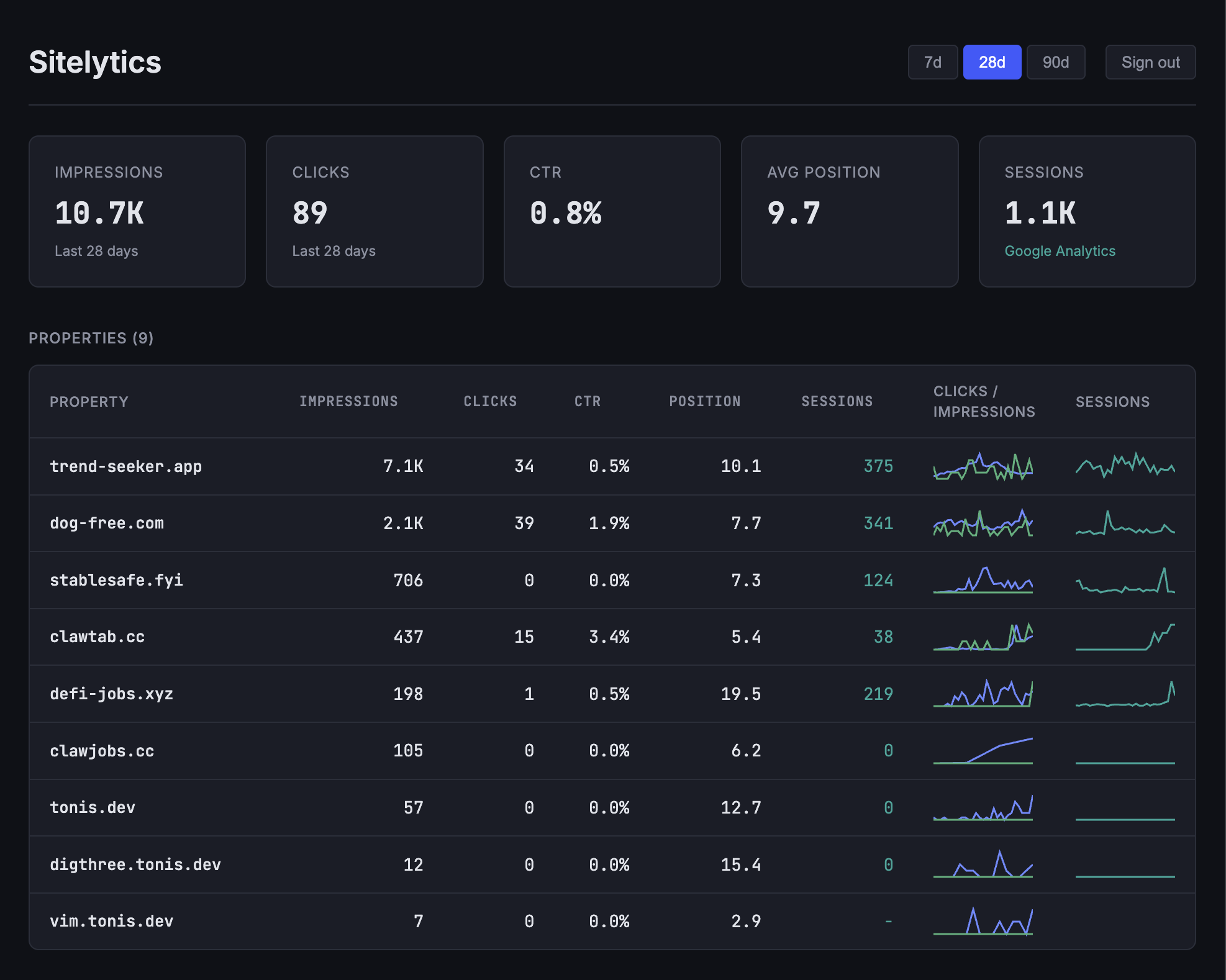
Aggregate Google Search Console and Google Analytics data across multiple web properties. Impressions, clicks, CTR, position, and sessions in a single view.
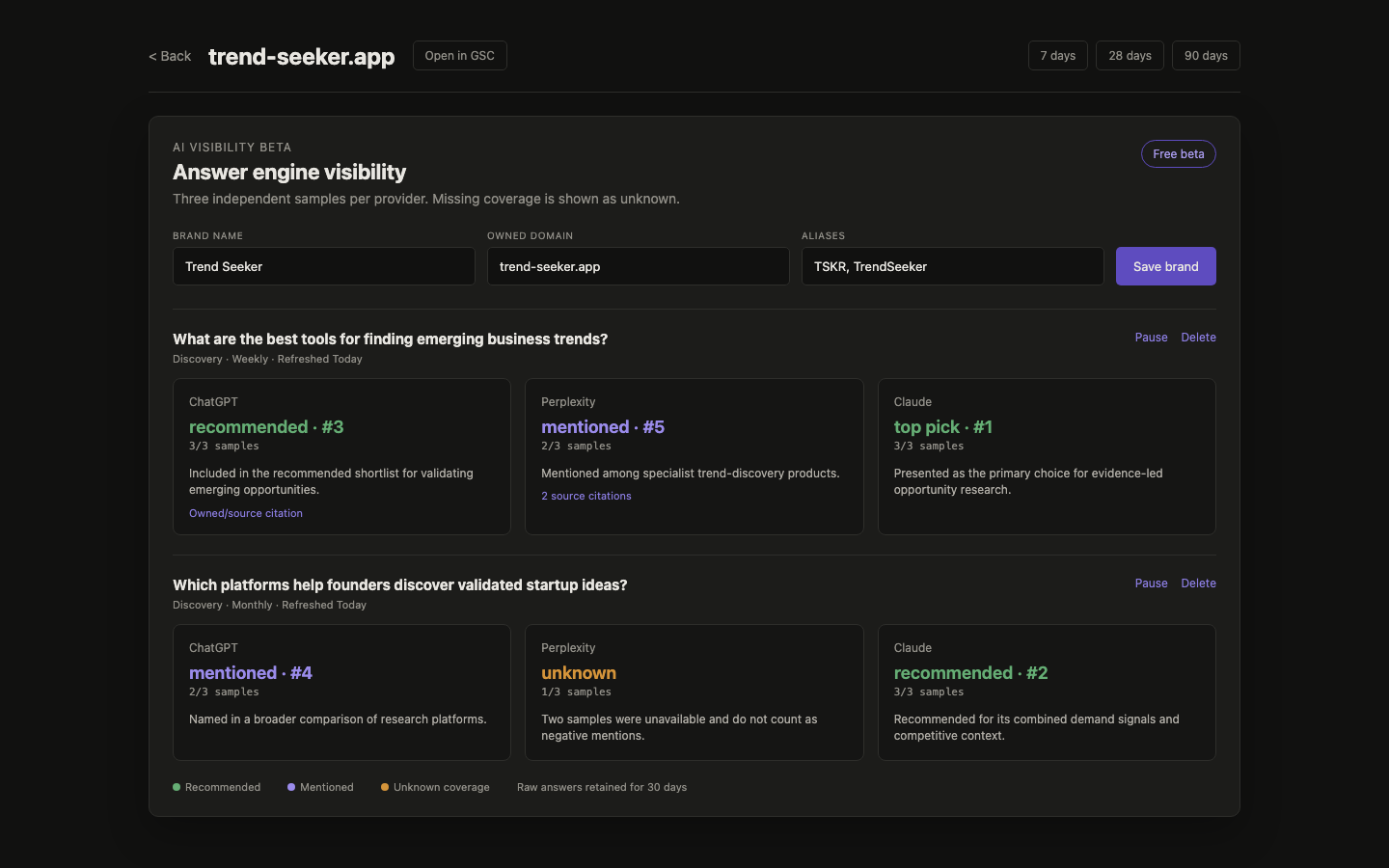
See how answer engines position your company
Schedule discovery and branded queries across ChatGPT, Perplexity, and Claude. Sitelytics samples every provider three times, separates unknown coverage from negative results, and tracks whether your brand is cited, mentioned, recommended, or the top pick.
Features
Everything you need to monitor your web properties.
AI visibility tracking
Monitor whether ChatGPT, Perplexity, and Claude cite, mention, recommend, or rank your company for recurring buyer queries.
Multi-property overview
All your Google Search Console properties at a glance with sparkline trends for clicks and impressions.
GA4 integration
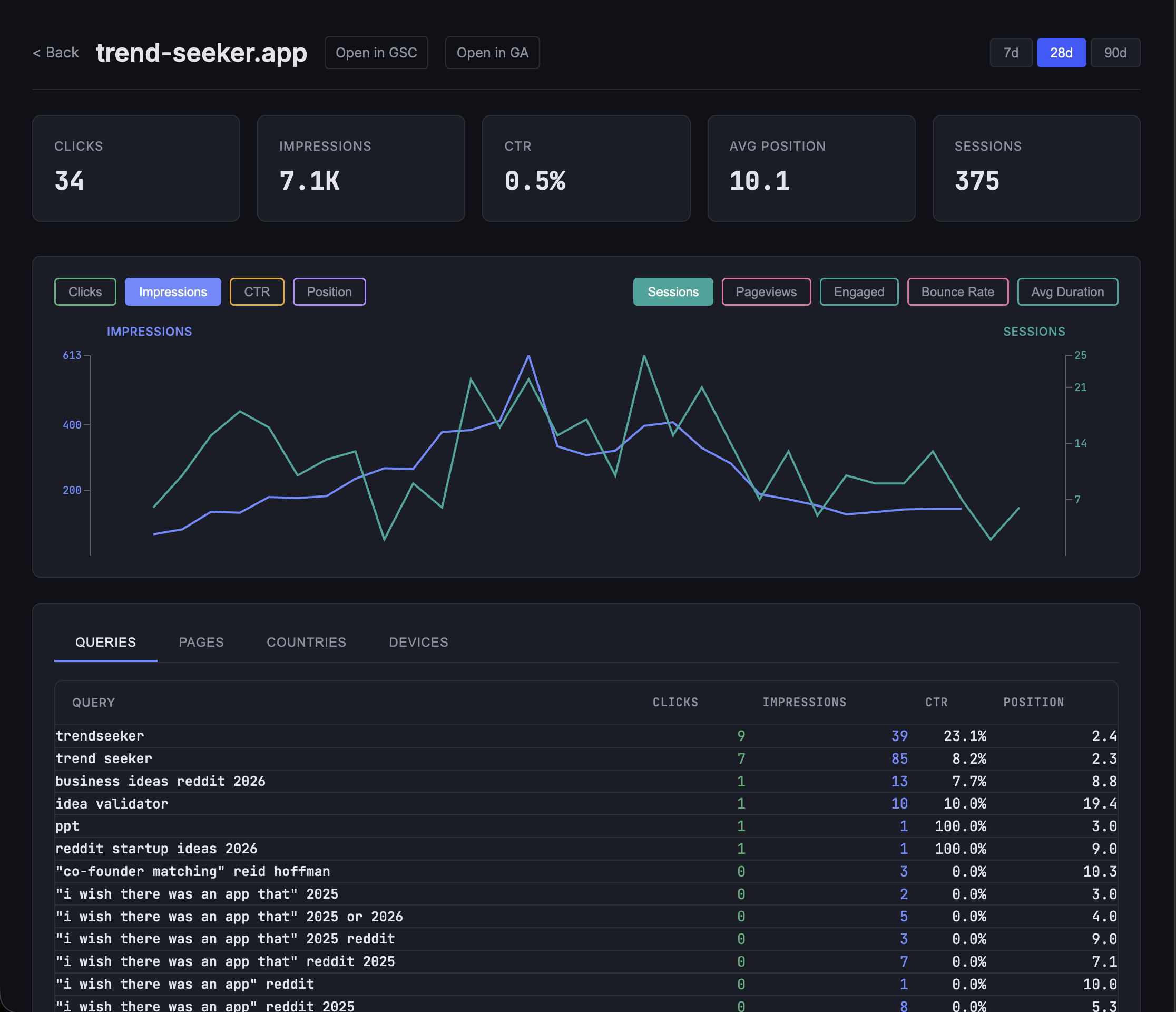
Sessions, pageviews, engaged sessions, bounce rate, and average duration from Google Analytics overlaid on GSC metrics.
Interactive charts
Daily performance charts with toggleable metrics. Click through impressions, clicks, CTR, and position over time.
Dimension breakdown
Analyze performance by queries, pages, countries, and devices to find what drives your traffic.
Date ranges
Switch between 7, 28, and 90 day windows to spot trends at different time scales.
Client-side caching
Smart caching avoids redundant API calls when navigating between views.
Detailed property analytics
Drill into any property for interactive charts with daily trends, GA4 session overlay, and dimension breakdowns by queries, pages, countries, and devices.
Tech stack
Built for performance and reliability.
Rust + Axum
Backend API server with OAuth2 session management
React 19 + SSR
Server-rendered frontend with client hydration
Recharts
Interactive data visualization for daily trends
Google APIs
Search Console v3, Analytics Admin, Analytics Data
Articles
Guides on Google Search Console and Analytics.
How to Combine Google Search Console and Analytics in One Dashboard
Stop switching between GSC and GA4. Learn the different ways to merge your search and analytics data into a single view.
Open Source Google Search Console Dashboard Alternatives
A comparison of open source and self-hosted tools for visualizing Google Search Console data beyond the default interface.
Managing Multiple Google Search Console Properties in One Place
If you run several websites, managing them individually in GSC is painful. Here is how to aggregate metrics across all your properties.
Get started
Requires a Google Cloud project with OAuth 2.0 credentials.
See the setup guide for details.